

Let’s be honest: how many hours have you sunk into building a business spreadsheet from scratch? You start with a simple goal-track expenses, manage a project timeline, or create an invoice-and suddenly you’re lost in a maze of VLOOKUPs and pivot tables. The fear of one broken formula throwing off all your numbers is real. Worse, after all that work, the final excel spreadsheet still looks unprofessional and is confusing for anyone else to read.
Forget the old way. Why spend another minute stressing when you can have the solution instantly? We’ve created a complete toolkit of 10+ free, professionally designed Excel templates built to handle the heavy lifting for you. In this guide, you’ll find everything you need to manage your finances, streamline your projects, and report on your marketing with total confidence. It’s time to stop wrestling with cells and start gaining clarity and control over your business. Download the templates you need and reclaim your time today.
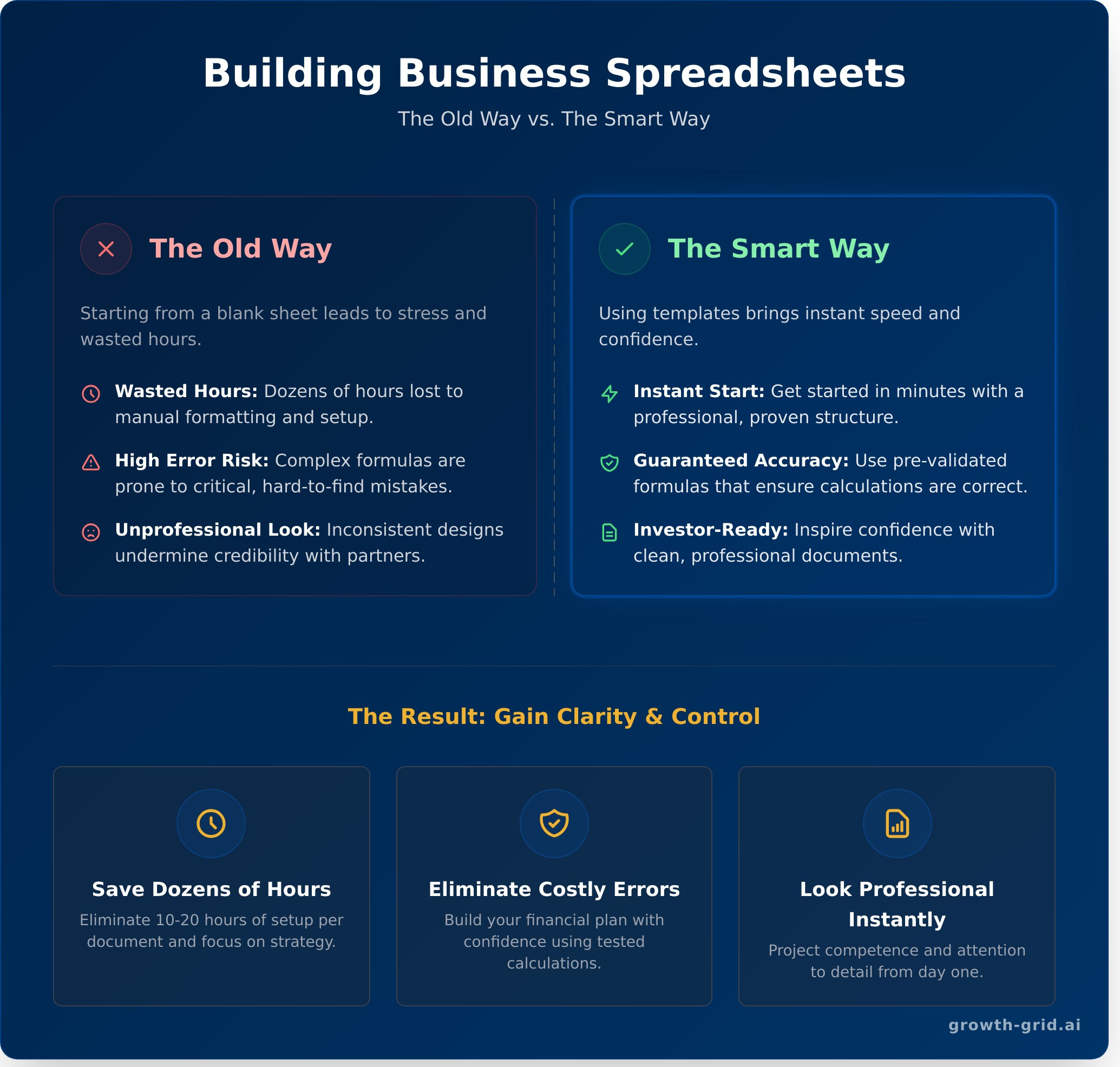
Why Use Excel Templates? The Old Way vs. The Smart Way
Launching a business requires a mountain of documents, and your financials are the foundation. But creating them from a blank page is a slow, frustrating process that drains your most valuable resource: time. It’s the old way of doing things, and it’s holding you back.
The smart way is to leverage a pre-built excel spreadsheet template. Instead of wrestling with formulas and formatting, you can focus on what actually matters-planning your business’s future. Let’s break down the difference.
✗ The Old Way: Stress and Wasted Hours
- Starting with a blank sheet, wasting dozens of hours on formatting.
- Manually writing complex formulas with a high risk of critical errors.
- Presenting inconsistent, amateur-looking financials to partners.
- Feeling overwhelmed by tedious tasks instead of focusing on strategy.
✓ The Smart Way: Speed and Confidence
- Getting started in minutes with a professional, proven structure.
- Using pre-validated formulas that ensure your calculations are accurate.
- Inspiring confidence with clean, investor-ready documents.
- Focusing your energy on growth, not gridlines.
Save Dozens of Hours Instantly
How much time do you spend aligning cells, choosing color schemes, and testing formulas? For most entrepreneurs, it’s 10-20 hours per document. A template eliminates this entire process. You get a ready-made framework designed for financial modeling, letting you bypass the tedious setup and jump straight to inputting your data. It’s the ultimate strategic shortcut for founders who need to move fast and make an impact.
Eliminate Costly Calculation Errors
A single misplaced decimal or broken formula can have disastrous consequences for your financial projections. While the basics of what a spreadsheet is seem simple, building an interconnected financial model is complex and prone to human error. Our templates come with pre-built, tested calculations for everything from cash flow to balance sheets. You can build your financial plan with confidence, knowing the numbers are accurate and reliable.
Look Professional from Day One
First impressions matter, especially with investors, partners, and lenders. A messy, disorganized excel spreadsheet sends the wrong message. Our templates are designed to be clean, clear, and professional. With consistent formatting, easy-to-read layouts, and logical data presentation, you’ll project an image of competence and attention to detail. It’s an instant upgrade that shows you’re serious about your business.
Essential Financial Spreadsheet Templates for Startups
Think of these financial spreadsheets as the engine of your business plan. They provide the hard numbers that prove your great idea is also a viable business. These templates are designed to help you stop guessing and start tracking every dollar in, every dollar out, and your overall profitability. Get these right, and you’ll have the confidence and the data you need to secure loans or impress investors.
Startup Costs & Budget Template
Before you launch, you need to answer the most critical question: ‘How much money do I actually need?’ This template eliminates the guesswork. It helps you map out every one-time and recurring expense, from equipment and legal fees to marketing and rent. Just as you’d use professional Project Management Templates to plan your operational launch, this financial template provides a clear roadmap for your funding needs.
Download the Startup Budget Template →
Cash Flow Statement Template
Profit on paper doesn’t pay the bills-cash does. A cash flow statement is crucial for tracking the actual movement of money through your business. This powerful excel spreadsheet template breaks down your cash from operating, investing, and financing activities. Use it to manage your liquidity, anticipate shortfalls, and ensure you always have the cash on hand to operate smoothly.
Get the Cash Flow Template Now →
Profit & Loss (P&L) Statement Template
Is your business actually making money? The P&L statement (also known as an income statement) gives you the answer. It provides a clear snapshot of your financial performance over a specific period by subtracting your costs and expenses from your revenues. This is the ultimate measure of your company’s profitability and a non-negotiable document for any serious business plan.
Sales Forecast Template
A solid sales forecast turns your ambition into a concrete plan. This template helps you project future sales based on market trends, your sales pipeline, and historical data. You can model different scenarios-from best-case to worst-case-to set realistic goals and manage your resources effectively. Stop flying blind and start making data-driven decisions about your growth.
Operations & Project Management Templates
Strong financial planning is the blueprint for success, but efficient operations are how you build it. This section shifts focus from your financial statements to the day-to-day execution that drives your business forward. Smart organization is the key to efficiency, and these templates are designed to help you manage your three most critical assets: your tasks, your products, and your people.
You don’t need complex, expensive software to get organized. While financial tools like those in SCORE’s Financial Projections Template gallery provide a roadmap for your money, a simple excel spreadsheet can provide a powerful, immediate roadmap for your work. Stop letting details fall through the cracks and start running a tighter, more profitable operation.
Project Timeline (Gantt Chart) Template
Stop guessing and start visualizing your project’s entire lifecycle. A Gantt chart template provides a clear, time-based view of every task, deadline, and dependency. See exactly how one delay impacts the entire project, keeping your team aligned and stakeholders informed. It’s the fastest way to bring professional-grade clarity to complex projects.
- Key Features: Task lists, start and end dates, responsible team members, and visual progress bars.
- The Result: Projects stay on track, on time, and on budget.
Inventory Management Template
Your inventory is cash sitting on a shelf. Managing it effectively is critical for healthy cash flow. This template helps you track every item from order to sale, preventing costly stockouts and avoiding capital being tied up in overstocked goods. By tracking sales velocity, you can make smarter, data-driven reordering decisions instantly.
- Key Columns: Item ID, product description, quantity on hand, unit cost, and reorder level.
- The Result: Optimized cash flow and higher customer satisfaction.
Employee Schedule & Timesheet Template
Take the headache out of payroll and staffing. A combined schedule and timesheet excel spreadsheet simplifies how you manage your team’s hours. Easily create weekly schedules to ensure proper coverage, then accurately track hours worked for seamless payroll processing. It’s a straightforward tool for bringing efficiency and fairness to your workforce management.
- Key Sections: Employee names, shift start/end times, break tracking, and automated total hours calculation.
- The Result: Faster, error-free payroll and clear, compliant work records.
Marketing & Sales Performance Templates
Strong financials start with strong revenue. This section covers the most crucial area of your business: customer acquisition. Data-driven marketing isn’t just for large corporations-it begins with proper tracking, and a simple excel spreadsheet is the perfect tool to get started.
These templates help you move from guesswork to a strategic, repeatable process. They are the first step to planning effective campaigns, monitoring their performance, and building a sales process that can actually scale. Stop wondering where your customers come from and start knowing.
Content Calendar Template
Turn random posts into a strategic content machine. This template helps you plan and schedule all your marketing content across different channels. Key columns typically include the publish date, topic, author, status, and platform (e.g., blog, social media, newsletter). It ensures a consistent and professional approach to building your brand and attracting customers.
Simple CRM & Sales Pipeline Template
Don’t let valuable leads slip through the cracks. A simple CRM template tracks potential customers as they move through your sales process. You get an instant, visual overview of your sales funnel and potential revenue by organizing leads into key stages:
- ✓ Lead / Inquiry
- ✓ Qualified
- ✓ Proposal Sent
- ✓ Negotiation
- ✓ Closed-Won / Closed-Lost
Marketing Budget & ROI Template
Make every marketing dollar work harder. This powerful excel spreadsheet template allows you to allocate funds to specific channels and, most importantly, track your return on investment (ROI). By comparing planned spend vs. actual spend and linking it to the leads or sales generated, you can quickly identify what’s working and double down on your most profitable channels.
While these templates provide critical insights, integrating them into a complete financial model is the next step. For a fast, AI-powered business plan complete with financial forecasts, check out GrowthGrid.
Beyond Spreadsheets: When to Automate Your Business Plan
The free templates we’ve shared are fantastic starting points. An excel spreadsheet is a powerful tool for organizing initial thoughts and running basic numbers. But as your vision grows, the very tool that helped you start can begin to hold you back. The hidden costs of manual financial management-hours lost to data entry, the risk of a single broken formula derailing your projections, and a total lack of integration-add up fast.
When you’re ready to move from rough numbers to a professional, fundable business plan, it’s time to consider automation.
The Limits of Manual Financial Projections
Manually building your financials is a high-risk, time-consuming process. The limitations become obvious when you’re under pressure:
- They are static and fragile. Want to test a new pricing assumption? A small change can trigger a cascade of broken formulas that takes hours to fix.
- They lack strategic context. Investors need a compelling narrative, not just a grid of numbers. A spreadsheet can’t explain your market, strategy, or team.
- Linking financials is notoriously error-prone. Ensuring your Profit & Loss, Cash Flow Statement, and Balance Sheet are all perfectly connected is a stressful and difficult task.
How AI Creates a Full Business Plan in Minutes
Instead of battling cells and formulas, what if you could generate a complete plan instantly? That’s the smart way. With GrowthGrid, you simply answer straightforward questions about your business idea. Our AI then does the heavy lifting, building a comprehensive, 40+ page business plan from scratch.
It doesn’t just create charts; it generates all 72 sections required for funding, from the executive summary to the appendix. This includes fully-linked, investor-ready financials, saving you from the stress and errors of a manual excel spreadsheet. The entire process takes about 8 minutes, delivering professional-grade accuracy at a fraction of the time and cost.
Why build one sheet when you can generate a complete, investor-ready plan?
Upgrade Your Business Plan from Spreadsheets to Strategy
These free templates prove that the right excel spreadsheet is a powerful asset for organizing your finances, operations, and marketing. They bring immediate structure to your business, helping you manage day-to-day activities with clarity and control. This is the smart way to handle your data, but true growth requires more than just tracking numbers; it demands a comprehensive, forward-looking strategy.
When you’re ready to scale, you’ll find that even the best templates have their limits. Why spend weeks stressing over complex formulas and formatting a document that investors will actually read? It’s time to work smarter, not harder.
Ready for the next step? Stop wrestling with spreadsheets. Generate your entire business plan with AI in 8 minutes. Join over 10,000 entrepreneurs who trust GrowthGrid to create their 40+ page, investor-ready plan. Our AI instantly builds all 72 sections, complete with automated financial projections, giving you a professional-grade strategy in minutes.
Your vision is too important to get stuck in a cell. It’s time to build your future.
Frequently Asked Questions
Can I use these templates in Google Sheets?
Yes, you can. Simply upload the Excel file (.xlsx) to Google Drive and open it with Google Sheets. Most formulas and formatting will convert instantly. However, be aware that complex macros or certain advanced Excel functions might not transfer perfectly. We recommend a quick review of all automated calculations after importing to ensure 100% accuracy and save you from any headaches down the road. It’s a fast check for total peace of mind.
What is the most important financial spreadsheet for a startup?
For any startup, the Cash Flow Statement is the most critical tool for survival. While a Profit & Loss (P&L) statement measures profitability, the cash flow tracks the actual money moving in and out of your bank account. It tells you if you can pay your bills, your team, and your suppliers next month. A company can be profitable on paper but still fail from a lack of cash, making this your most vital financial dashboard.
How do I customize an Excel template for my specific business?
Customizing your template is fast and easy. Start by adding your company logo and updating the color scheme to match your brand. Next, edit the line items-like revenue sources or expense categories-to reflect your unique operations. For example, change a generic “Marketing” cost to specific lines like “Facebook Ads” and “Content Creation.” Finally, double-check that formulas still work correctly if you add or remove any rows to ensure your data stays accurate.
Is it safe to put my financial data in an Excel spreadsheet?
An excel spreadsheet is a secure option, provided you take the right steps. Always use Excel’s built-in “Protect Workbook” feature to lock the file with a strong, unique password. This encrypts the data, making it unreadable without authorization. For an extra layer of security, store the file on an encrypted cloud service instead of just your desktop. While not a dedicated platform, it’s a professional and secure solution for managing your startup’s financials efficiently.
What’s the difference between a cash flow statement and a P&L statement?
Think of it this way: your Profit & Loss (P&L) is like your annual report card-it shows if you were profitable over a specific period. Your Cash Flow Statement is like your bank account balance-it shows the actual cash you have on hand to operate right now. A P&L can show a big profit from a sale you haven’t been paid for yet, but the cash flow statement tells you if you have the money to pay rent tomorrow.
At what point should my business move from Excel to specialized software?
You should move from an excel spreadsheet to specialized software the moment complexity starts costing you valuable time. Key triggers include: managing payroll for several employees, tracking complex inventory, requiring access for multiple team members, or when your transaction volume makes manual entry a major chore. Once your spreadsheet feels more like a bottleneck than an efficient tool, it’s the smart time to upgrade to an automated system like QuickBooks or Xero.